Navigation
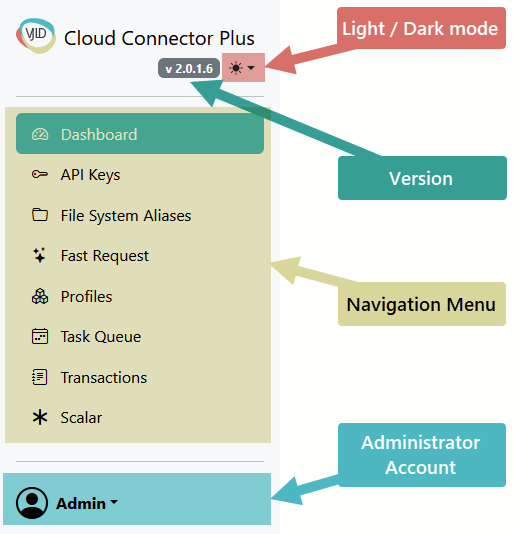
General
Areas
- Version
- Dark/Light mode switch
- Navigation menu
- Administrator Account menu
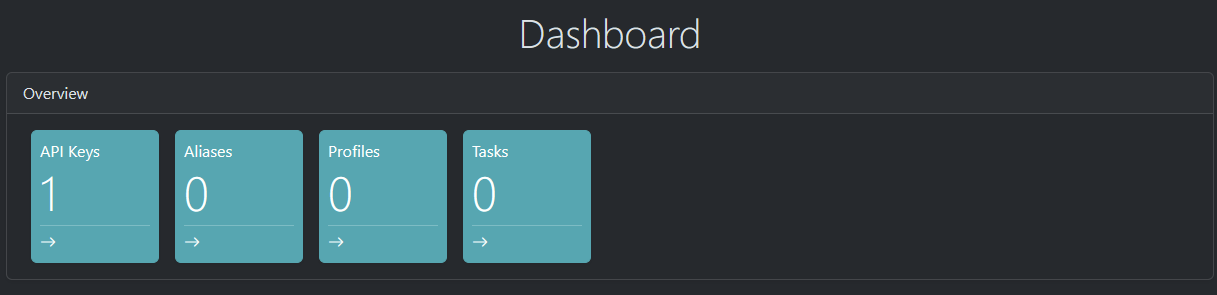
Dashboard
Dashboard is providing you KPI and shortcut access to specific area
API Keys
What are API Keys
Purpose: Authenticate every API call. The key is created in the Setup Wizard and later selectable in the Admin UI. Every execution is recorded with the API key in Transactions when logging is enabled.
Usage: Include header x-api-key on every request. Missing/invalid keys return 401.
API Keys is a simplified anonymous authentication against Cloud Connector Plus service.
Navigation Menu

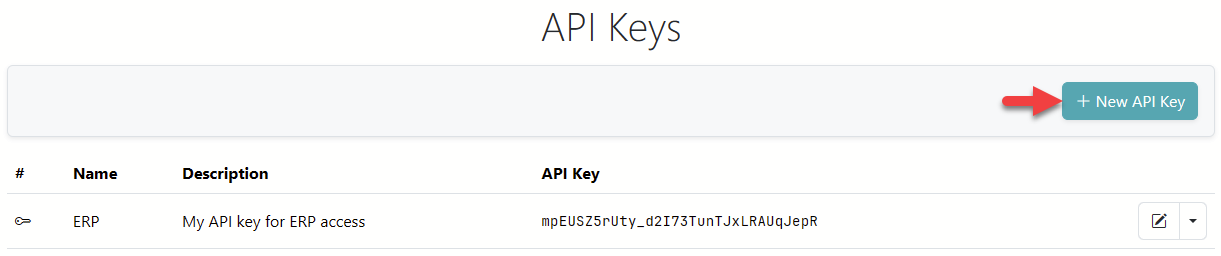
API Keys list view
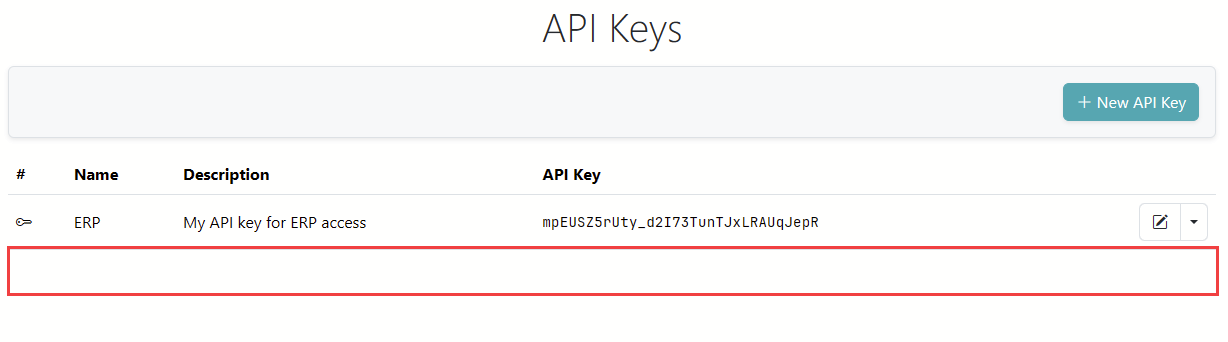
API List view providing you an overview about all created API Keys. As default key you should see the API Key from wizard setup.

Create new API Key
You can create new API Key by pressing "+ New API Key" button
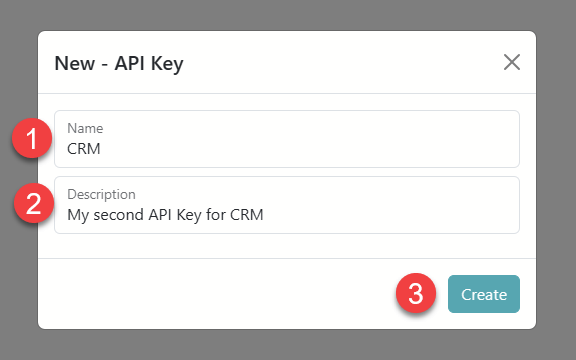
It will open a pop up dialog. Please assign Name and Description for new API Key an press "Create"
New API Key will appear in API Key List View
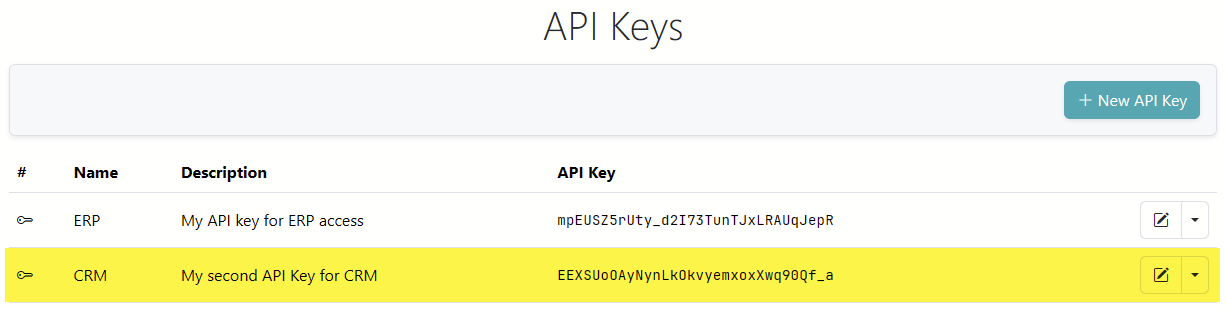
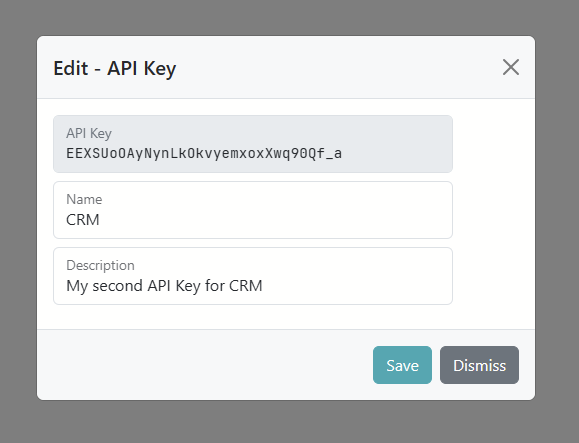
Edit API Key
You can edit API by executing "Edit" quick action or "Edit" action.

You can rename the API Key or change Description
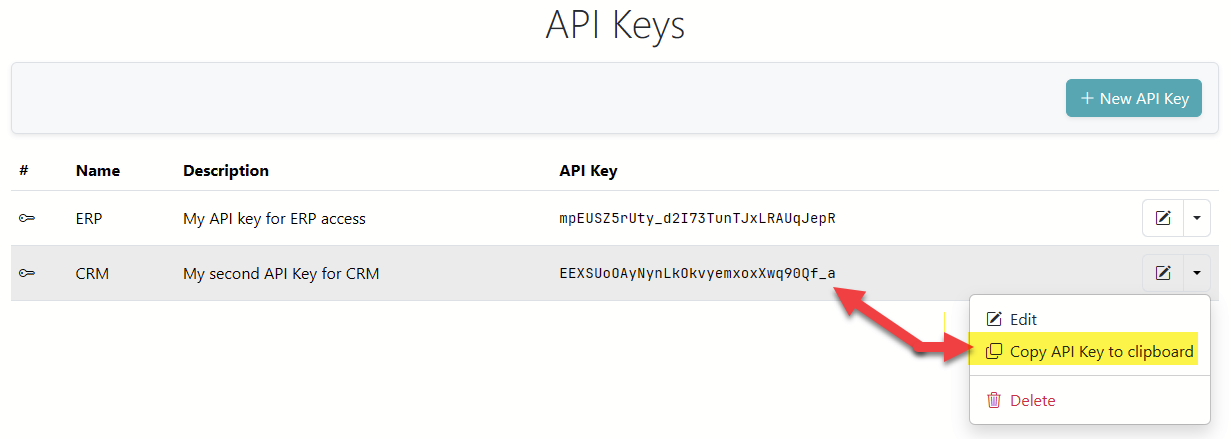
Copy to Clipboard
You can copy API Key by using an action
Delete API Key
You can delete any API Key at anytime
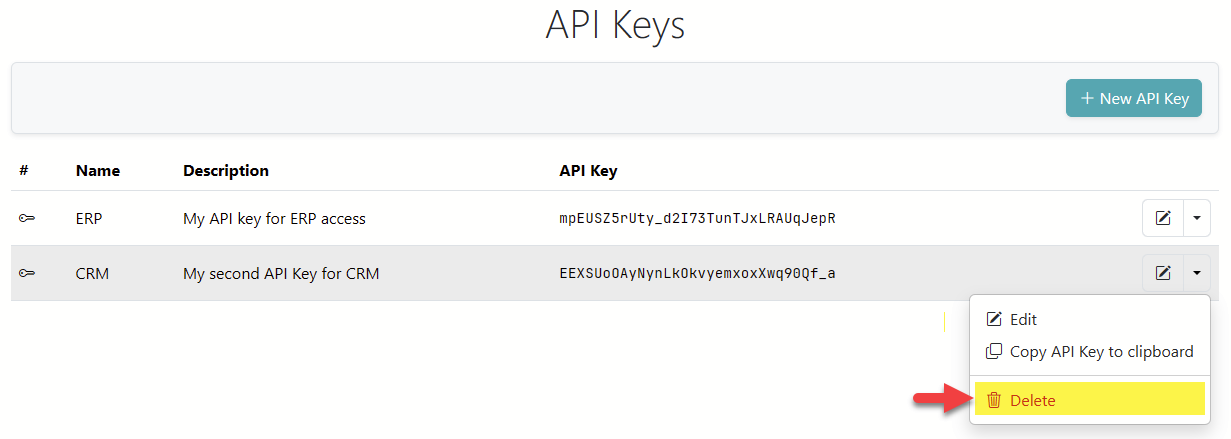
It will disappear from the list
File System Alias
Fast Request
Purpose: UI to quickly craft, test, and save adapter requests without coding. Select an adapter, fill fields, preview the JSON request, execute immediately, or save as a Profile.
Profiles
Purpose: Reusable, named execution templates for any adapter. Profiles can contain placeholders like ${OrderId} and declare ProfileQueryParameters with default/mandatory flags. At runtime, placeholders are replaced from query or header values.
Execution: GET /api/v1/executeProfile?profile=<ProfileKey> with x-api-key (header or query). Parameters can be passed as ?OrderId=123 or via headers.